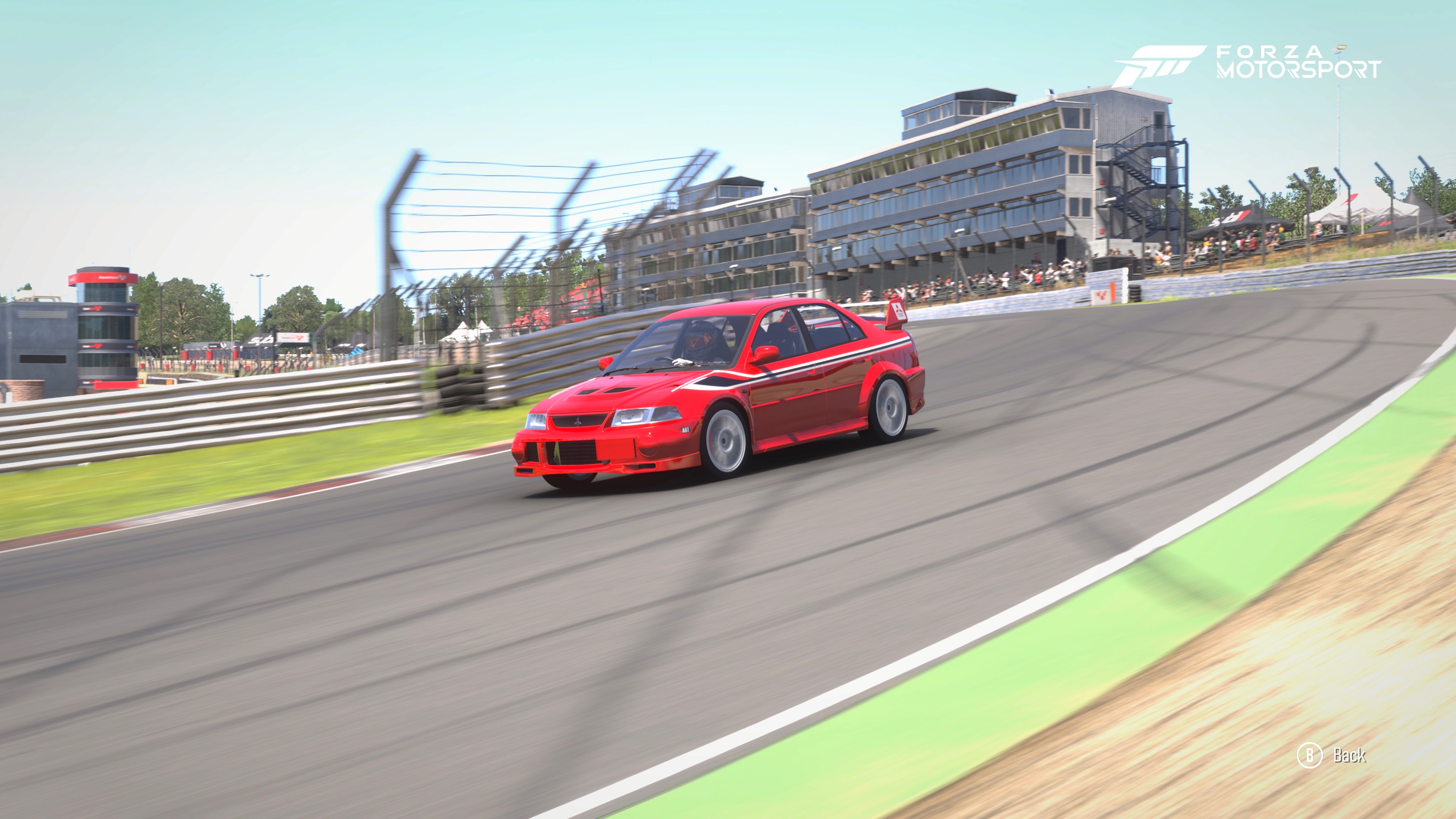
How the Moza R3 Transformed My Times at Brands Hatch.
For many sim racers on the Xbox Series X, the leap from a controller to a Direct Drive wheel like the Moza R3 is about more than just immersion—it’s about finding the "edge" of traction. I recently took my RWD-converted Mitsubishi Lancer Evo VI to the technical Brands Hatch Indy circuit to see if I could bridge the gap between "guessing" the grip and "feeling" it. While my initial controller times were respectable, the transition to the wheel—specifically after fine-tuning the Force Feedback (FFB) settings—unlocked a level of consistency and speed I couldn't reach before.
The Testing Ground: Brands Hatch Indy
Brands Hatch Indy may be short, but it is a masterclass in weight transfer and technical precision. Paddock Hill Bend is the first challenge: a fast downhill right-hander with an almost blind apex. It is incredibly difficult to pick a braking and turn-in point, and very easy to run wide into the gravel trap. Getting this right is vital so you don’t compromise your speed on the uphill straight towards Druids, a slow hairpin with an uphill braking zone followed by a tricky downhill exit.
Next is Graham Hill Bend, another downhill corner where it is notoriously easy to understeer. This leads into Surtees, a fast left-hander often taken flat or with a slight lift, which then flows directly into McLaren. McLaren requires hard braking while turning due to its tightening radius, immediately followed by Clearways. This long, increasing-radius corner requires extreme patience before slowly applying the throttle; get on the power too early, and you’ll run wide into the gravel or need a dab of brakes, ruining your drive through the flat-out Clark Curve and killing your top speed onto the main Brabham Straight.
The Performance Data
The secret to my performance breakthrough wasn't just "more" power, but better fidelity. By dialing the in-game Force Feedback Scale down to 60 and bumping Vibration to 35, the wheel felt lighter but provided significantly improved detail through the corners.
Control Method |
Tyre Compound |
Best Lap Time |
| Controller | Stock | 56.549 |
| Controller | Sport | 55.050 |
| Controller | Race Medium | 54.723 |
| Controller | Race Soft | 54.209 |
| Moza R3 (default) | Race Soft | 53.782 |
| Moze R3 (optimised) | Race Soft | 53.204 |
Ultimate Quick Start Guide: Settings & Descriptions
1. Moza Pit House (Mobile App Settings)- Max Wheel Speed (40–60%): Controls how fast the motor is allowed to spin itself. Lowering this prevents the wheel from feeling "nervous" or whipping out of your hands during a slide.
- Wheel Spring Strength (0%): This pulls the wheel to center regardless of what the car is doing. Keep this at 0% so it doesn't mask the actual physics coming from the game.
- Wheel Damper (15–25%): Adds "oil" to the steering rack. It smooths out any "notchy" feelings and stops the wheel from shaking (oscillating) on the straights.
- Steering Wheel Inertia (150–200): Tells the motor how heavy your physical wheel rim is. Setting this correctly helps the motor compensate for its own weight.
- Natural Inertia (150–200%): Simulates the weight of the steering column. This makes the wheel feel "meaty" and substantial, helping you feel the cornering load.
- Wheel Friction (15–20%): Adds a constant resistance. This helps you "lean" into the force feedback, making it more obvious when that resistance drops (understeer).
2. Forza Motorsport (In-Game Advanced Settings)
- Vibration Scale (35): Controls the "rumble" of the engine and road. It enhances the "scrub" sensation when tires reach their limit.
- Force Feedback Scale (60): The overall power of the wheel motor. Lowering this on the R3 prevents "clipping" and preserves detail.
- Steering Self Alignment (100): The master setting for how the wheel pulls back to center based on physics.
- Mechanical Trail Scale (140–160): Represents the physical weight and resistance during cornering. High values provide a solid, heavy "load" in your hands.
- Pneumatic Trail Scale (50–70): Crucial for Understeer. This is the feel of the tires. By keeping this lower, the wheel goes "light" the exact moment you lose front grip.
- Road Feel Scale (30–50): Detail from cracks and bumps in the pavement.
- Load Sensitivity (50): How much the wheel gets heavier as the car’s weight shifts.
- Wheel Damping / Center Spring Scale (0): Keep these at zero to avoid artificial "filtering" of the feedback.
- Dynamic Damper (20–40): Reduces wheel shaking at high speeds without killing detail.
3. FFB Equalizer (Pit House)
- 10Hz (Body Movement): 100% – Keeps the standard weight of the car's lean.
- 15Hz (Kerbs/Bumps): 120% – Makes hitting rumble strips feel sharper and more tactile.
- 25Hz (ABS/Tire Slip): 160% – Crucial. Boosts the vibration felt when tires start to "scrub" or micro-slide.
- 40Hz (Road Texture): 140% – Enhances the feeling of the pavement grain.
- 50Hz (Fine Detail): 100% – Standard setting to avoid electronic buzzing.
Detailed Troubleshooting Guide
- The Wheel is Shaking on Straights (Oscillation): If you let go of the wheel on a straight and it starts to whip back and forth violently, you are experiencing "oscillation."
The Fix: Increase the Wheel Damper in the Moza Pit House app by 5–10%. You can also increase the Dynamic Damper in the Forza in-game settings. These act like a shock absorber for the motor. -
The Wheel Feels "Numb" or "Dead" in Hard Corners (Clipping): If the wheel feels heavy but you can’t feel the bumps or the tire scrub while turning hard, your FFB is "clipping." This means the game is asking for more power than the R3’s 3.9 Nm motor can provide.
The Fix: Lower your Force Feedback Scale in-game (try 55 or 50). It sounds counter-intuitive, but this creates "headroom" for the motor to give you detail even when at maximum load. -
The Steering Feels Too "Fast" or Twitchy: If the car feels like it’s reacting too aggressively to tiny movements, making it hard to be smooth at high speeds.
The Fix: Increase Natural Inertia in the Pit House app. This adds a sense of physical weight to the steering rack, making the car feel more planted. -
I Can’t Feel the Kerbs (Rumble Strips): If you’re hitting the apex but the wheel isn't "thumping" like it should.
The Fix: Increase the Vibration Scale in the Forza settings. If that’s not enough, go to the FFB Equalizer in Pit House and boost the 15Hz and 25Hz sliders.