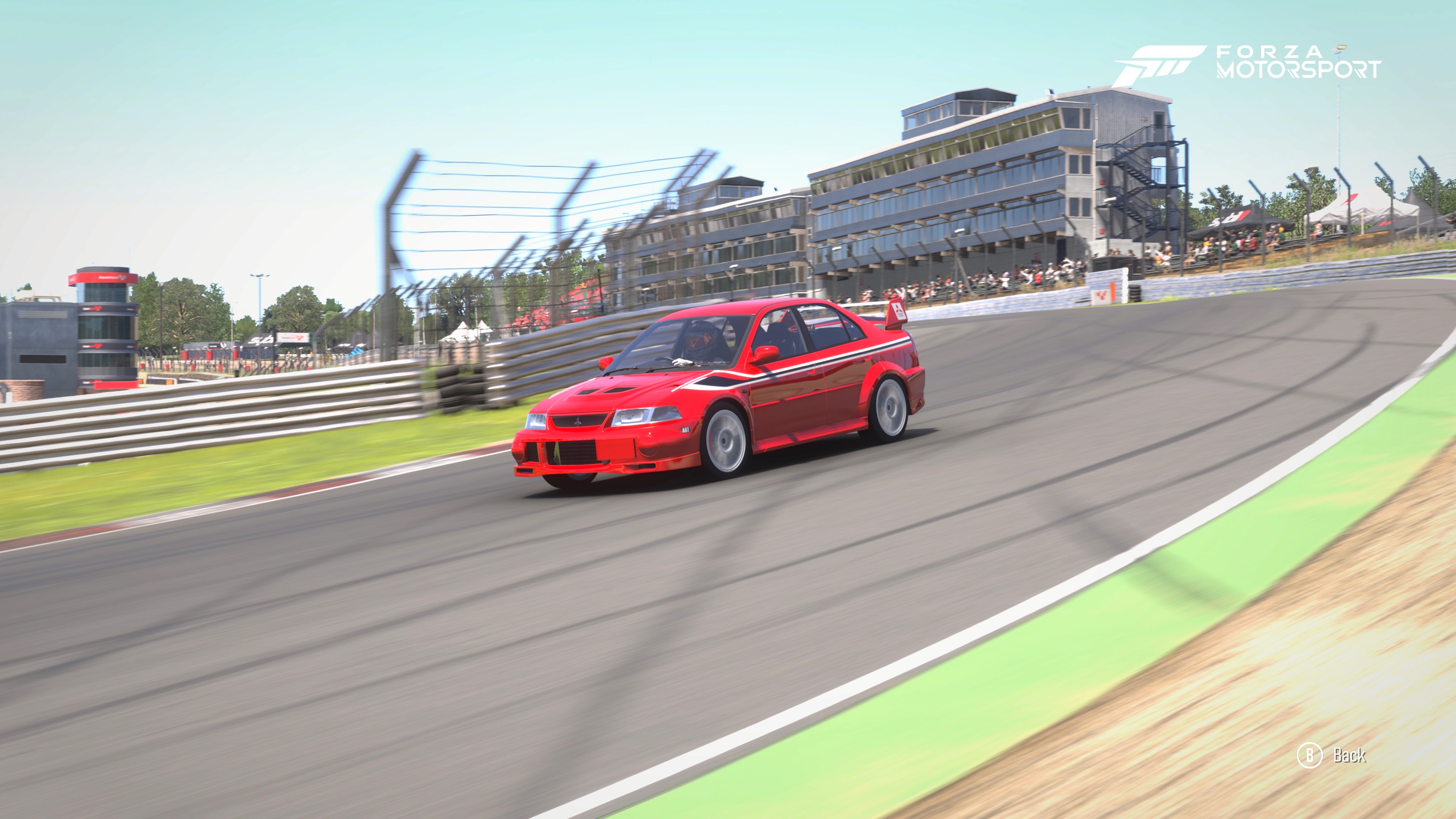
To break into the sub-52-second territory at Brands Hatch, we need to stop tuning based solely on feelings and start considering thermal and mechanical efficiency also. Using telemetry on the Evo VI RWD is about ensuring that the heavy front engine and the rear-drive wheels aren't fighting each other. Here is your step-by-step telemetry session plan.
To break into the sub-52-second territory at Brands Hatch, we need to stop tuning based on feelings and start tuning based on thermal and mechanical efficiency. Using the telemetry on the Evo VI RWD is about ensuring that the heavy front engine and the rear-drive wheels aren't fighting each other. Here is your step-by-step telemetry session plan.
Step 1: The Thermal Balance (Tire Temps Screen)
Drive 3–4 clean laps to get the tires to their "operating window." Then, look at the Inside-Middle-Outside (I-M-O) temperatures on the long right-hander at Clearways.
The Camber Check: If the Outside of your front tires is 5-10∘ hotter than the inside while cornering, your −2.0camber isn't enough for the RWD transition.
The Fix: Increase negative camber until the inside is slightly warmer than the outside on the straights, and even across the tread at the apex.
The Pressure Check: If the Middle temp is higher than both the I and O, drop your tire pressure by 1-2 PSI. This will increase the contact patch and help you find that missing 0.2s of traction out of the corners.
Step 2. The Suspension Travel (Compression & Bottoming)
Brands Hatch is famous for the "compression" at the bottom of Paddock Hill Bend. This is where most setups fail. The Bottoming Test: Watch the suspension bars as you hit the lowest point of the hill. If the bars turn bright redand hit the top of the graph, the chassis is hitting the bump stops. This "shocks" the tires and causes the snap oversteer you felt earlier.
The Fix: You have two choices. If you want to keep the car low, stiffen the Front Bump Damping. If it still hits red, you must increase the Ride Height by 0.5 inches. A car that is slightly higher but has travel is always faster than a car that is "bottomed out."
Step 3. The Friction Circle (The Traction Budget)
Switch to the Friction Circle screen and watch the "G-ball" as you exit McLaren and Clearways.
The Traction Test: As you apply throttle, the ball will move toward the bottom of the circle (Rear traction). If the ball "breaks" the circle and flickers, you are spinning the wheels.
The Fix: If it breaks too easily, your Differential Acceleration is too high, or your Rear Anti-Squat is still too stiff. We want that ball to ride the absolute edge of the circle without ever "snapping" outside of it.
Step 4. The Alignment Screen (The Apex Check)
This is the most precise way to verify your Caster and Camber settings.
The Test: Pause the game (or use a replay) exactly when the car is at the apex of Druids (the hairpin). Look at the "Live Camber" value.
The Goal: You want that value to be as close to 0.0∘ as possible. If it is +0.5∘, the tire is leaning over and you're only using the outer edge.
The Fix: If the wheel is turned sharply and you have positive camber, increase your Caster. This will "tilt" the wheel into more negative camber specifically when the steering is at full lock. The "Sub-52" Workflow Do a 5-lap stint. Identify the corner where the car feels weakest. Open Telemetry for that specific corner.
3. Apply ONE change. (e.g., +0.2 Camber or −1 PSI). Repeat.
Conclusion: The Reality of the "Perfect" Setup After diving into the data, I managed to bring the Evo VI RWD down to a 52.010s lap—a result of surgical fine-tuning using the live telemetry feeds. However, I found this to be a demanding and often difficult process. Telemetry tuning is a delicate balancing act; for every small adjustment made to optimize tire heat or suspension travel, there was a noticeable shift in the car’s personality, often requiring a secondary change to regain the overall balance. While these marginal gains (and occasional losses) make for a long road to the "perfect" setup, the effort was rewarded with even greater lap-time consistency. It’s clear that while the car is now faster and more stable than ever, there is still a higher ceiling to reach. With more time on the track and further data analysis, I’m confident there is still an even faster setup waiting to be unlocked.
The Sim-Racer’s "Problem & Cure" Cheat Sheet
Keep this table handy for quick adjustments during a practice session. Remember: Change only one setting at a time.
Symptom
Primary Cure
Secondary/Advanced Cure
| Symptom | Primary Cure | Secondary/Advance Cure |
| Snap oversteer (lift-off) | Increase diff deceleration | Increase front anti-drive |
| Initial understeer (turn-in) | Move brake balance rearward | Increase front roll centre offset |
| Mid-corner understeer | Stiffen rear anti-roll bar | Increase front negative camber |
| Power-oversteer (corner exit) | Decrease diff acceleration | Decrease rear anti-squat |
| Poor exit traction (rear slip) | Soften rear springs | Increase rear rebound damping |
| Car feels 'lazy' or 'floppy' | Increase roll centre offset (F & R) | Stiffen anti-roll bars (F & R) |
| Bouncing / skittish over kerbs | Lower bump damping | Soften springs (check right height) |
| Bottoming out | Increase right height | Stoffen springs or bump damping |
Consolidated Final Results: Brands Hatch Indy
| Step | Setup Milestone | Best Lap Time (s) | Difference (s) |
| 1 | Moza R3 optimised baseline | 53.204 | - |
| 2 | Race parts and diff and brakes | 52.609 | -0.595 |
| 3 | Advanced geometry and springs | 52.131 | -0.478 |
| 4 | Telemetry fine tuning | 52.010 | -0.121 |
| Total | Baseline vs final setup | -1.194 |